A workout timer that never loses count
Build the exact sequence you train to. Put the phone down. Interval Timer Studio counts, speaks and vibrates so you never have to look at the screen — and it works with the radio off.
iPhone & iPad · $4.99 once · No ads · No subscription · Works offline
On Android? Download the preview APK
Screenshots
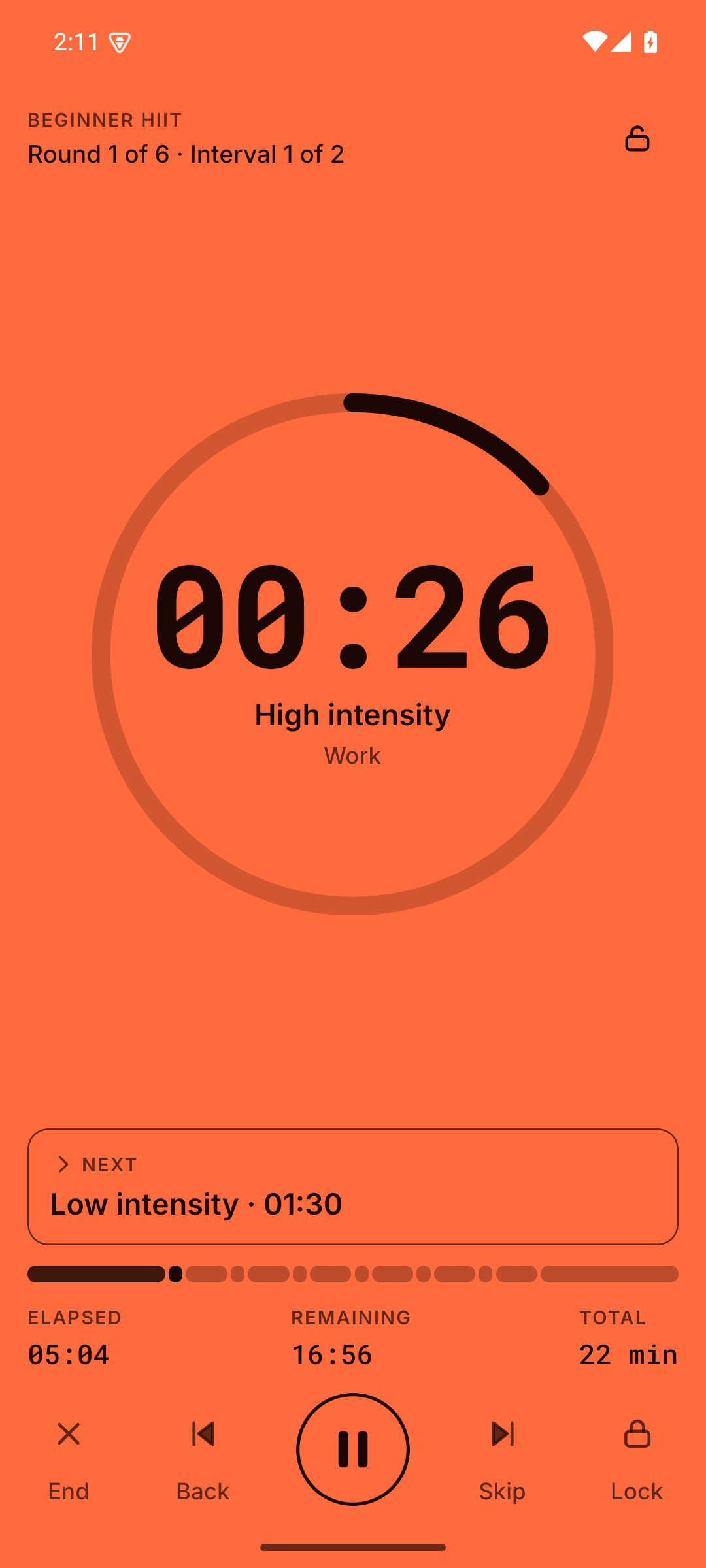
Read it from across the gym
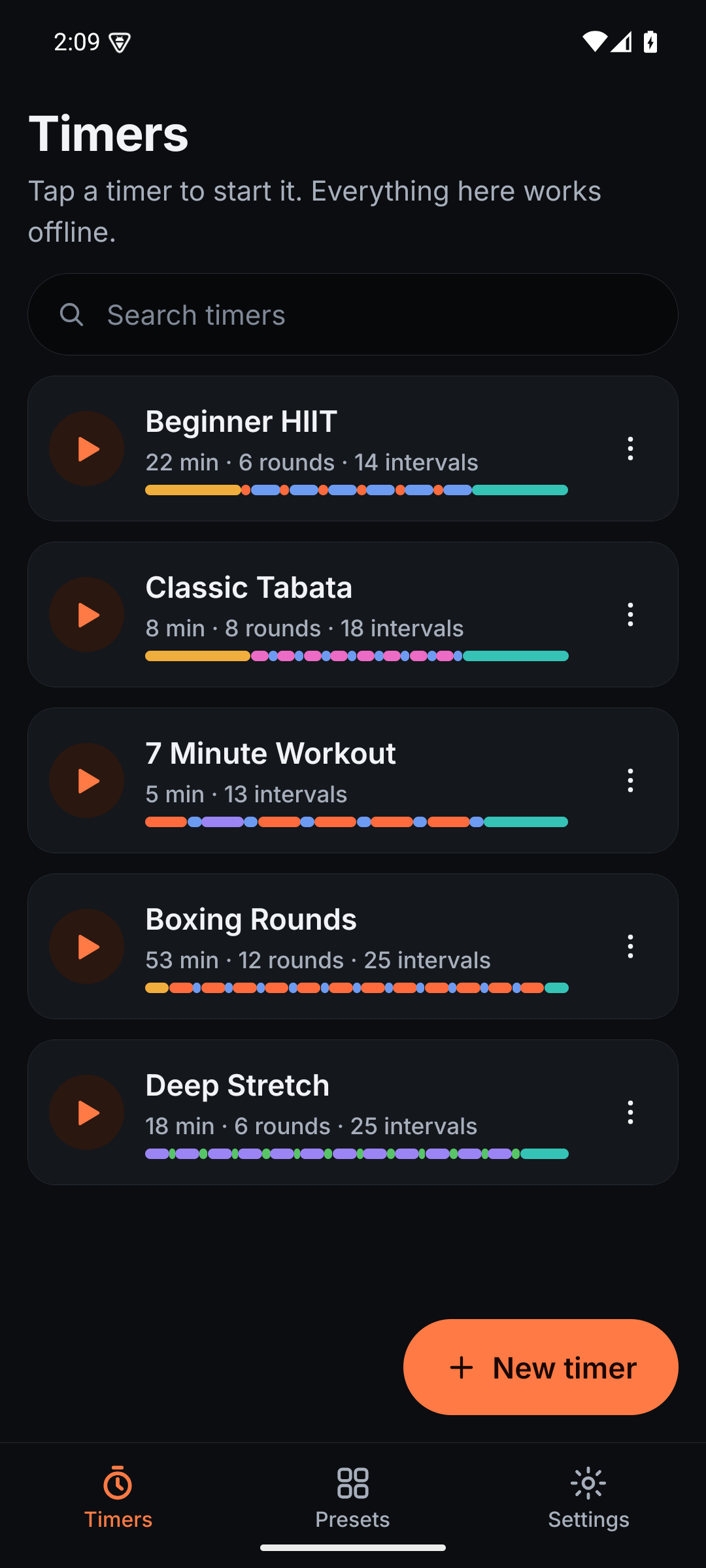
One tap from running
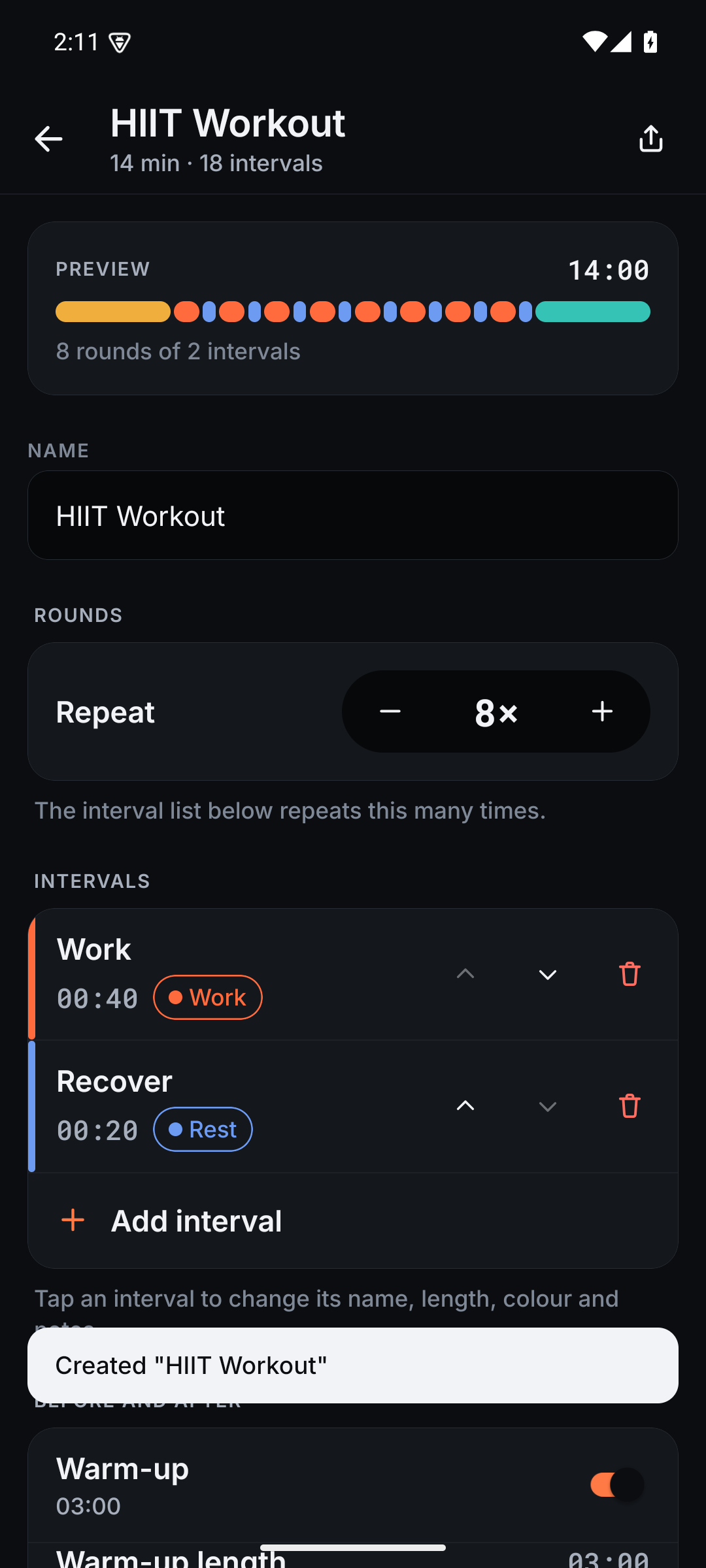
One editor for every timer
The things other interval timers get wrong
A count you can trust
The clock is anchored to real time, not to a tick counter. A notification, a phone call or a locked screen cannot make it drift, freeze or lose your place.
Genuinely offline
Interval Timer Studio does not request internet permission at all — not "works offline mostly". No account, no sign-in, no ads, no tracking. Your timers live on your device and nowhere else.
Heard over your music
Play whatever you like from any app. Interval Timer Studio ducks it while a cue plays and puts it straight back. Alert volume and voice volume are separate controls.
Built for any interval
HIIT, Tabata, circuits, boxing rounds, EMOM, mobility and stretching — or start blank and build exactly the sequence you train to.
Notes while you recover
Give an interval some notes and they appear, large, during the interval before it. Your next combination is on screen while you are still catching your breath.
It gets out of your way
No rate-this-app prompt. No "are you sure?" dialogs. The screen locks itself so a sweaty hand cannot pause your workout. Deleting something offers an Undo.
It collects nothing. You can check.
The release build declares no INTERNET permission, so the app cannot reach the network even if it wanted to. Run aapt dump badging on the APK and look at the permission list yourself.
uses-permission: name='android.permission.VIBRATE'
uses-permission: name='android.permission.WAKE_LOCK'
uses-permission: name='android.permission.FOREGROUND_SERVICE'
uses-permission: name='android.permission.MODIFY_AUDIO_SETTINGS'
# no INTERNET
Start your next session
Five sample timers are built in, so there is nothing to set up first.